

- New

onsale

In Stock

In Stock

Out of Stock


In Stock

Available upon request

In Stock
Out of Stock

Out of Stock

Available upon request

Out of Stock
Out of Stock
In Stock

In Stock
Download

Featured Products

Out of Stock
In Stock

In Stock
Out of Stock
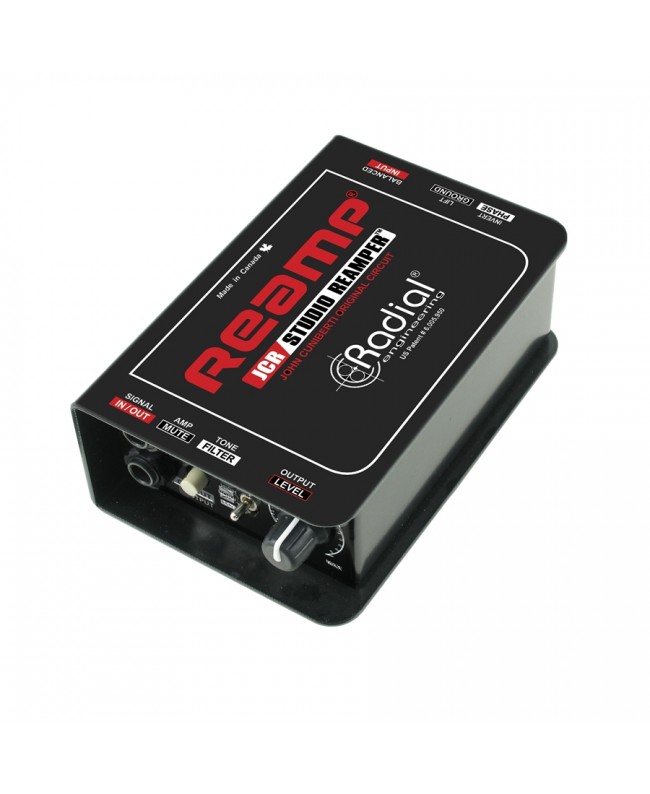
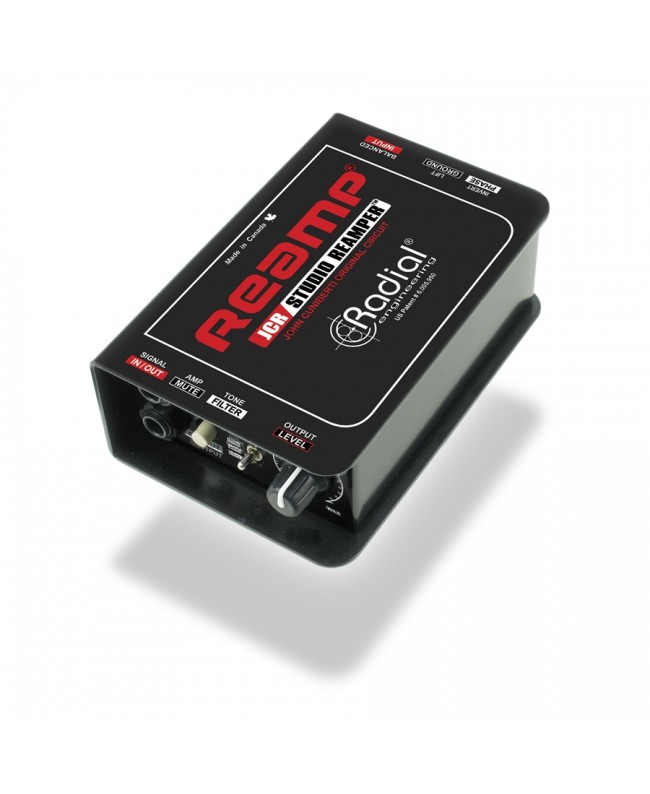

Radial Reamp JCR is a passive Reamper with parallel XLR/TRS inputs, level control, 3-position filter, mute, ground lift and polarity reversal. This device allows you to send prerecorded tracks to amplifiers, pedals or effects chains, properly converting impedance via transformer to preserve timbre, optimizing complete control of response.
Radial JCR features 2 inputs operating in parallel, one ¼ TRS jack and one XLR (both support Lo-Z and Hi-Z signals), a convenient rotary level control, a configurable high-pass or low-pass filter, and a Mute button. Radial JCR gives you the ability to send a pre-recorded track on your DAW to a guitar amp or effects pedal chain. The JCR uses the original Reamp circuit designed by a recording industry legend-John Cuniberti, engineer, sound engineer, and music producer. The JCR offers exceptional audio quality that preserves every detail of the original recording. All of the Radial JCR's controls operate on the signal routed to the Hi-Z output on ¼ jacks. By using a Reamper you can focus on the performance being recorded and then sculpt your sound later.
VIDEO: What is reamping and which Reamp to choose
The Reamp JCR is passive while the' is active. The 'allows you to run two amplifiers at the same time. The JCR has a configurable high/low pass filter and a Mute button.
Both are passive. The is basically a scaled-down version of the Reamp JCR that makes Reamping more accessible for the home studio.
A transformer-based Reamper gives the signal a more vintage feel: a smooth, velvety, more musical sound.
Can I use the Reamp JCR in reverse to make it work as a direct box?
No. The transformer is not sensitive enough to act as a DI box.
Yes. Simply connect the line output from the keyboard to the ¼ jack input of the JCR and then send the output to your guitar amp or pedal chain.
Specific References

On sale

In Stock
Out of Stock

Out of Stock
bestseller
In Stock
In Stock
Out of Stock
In Stock

Available upon request
In Stock