- -1%
- New

onsale

In Stock

In Stock

Out of Stock


In Stock

Available upon request

In Stock
Out of Stock

Out of Stock

Available upon request

Out of Stock
Out of Stock

In Stock

In Stock
Download

Featured Products

Out of Stock
In Stock

In Stock
Out of Stock
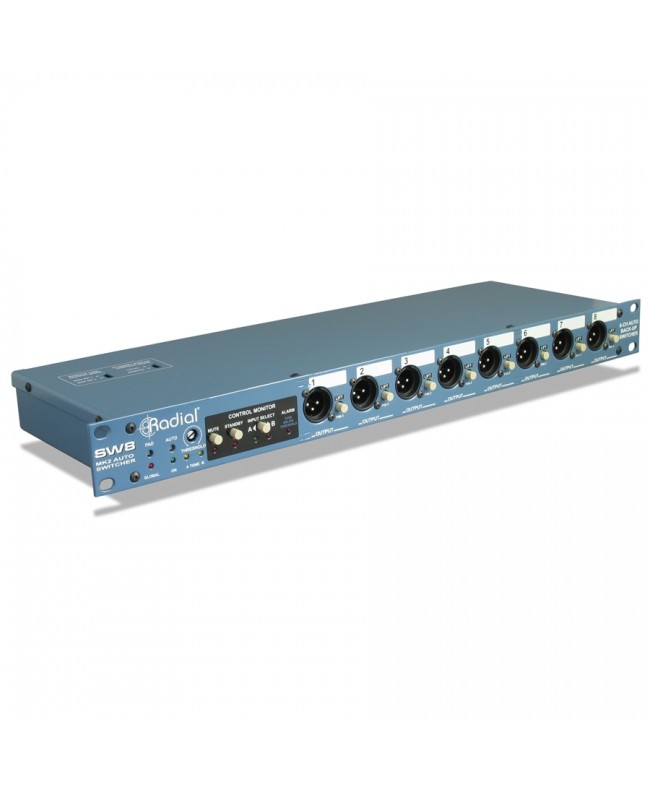
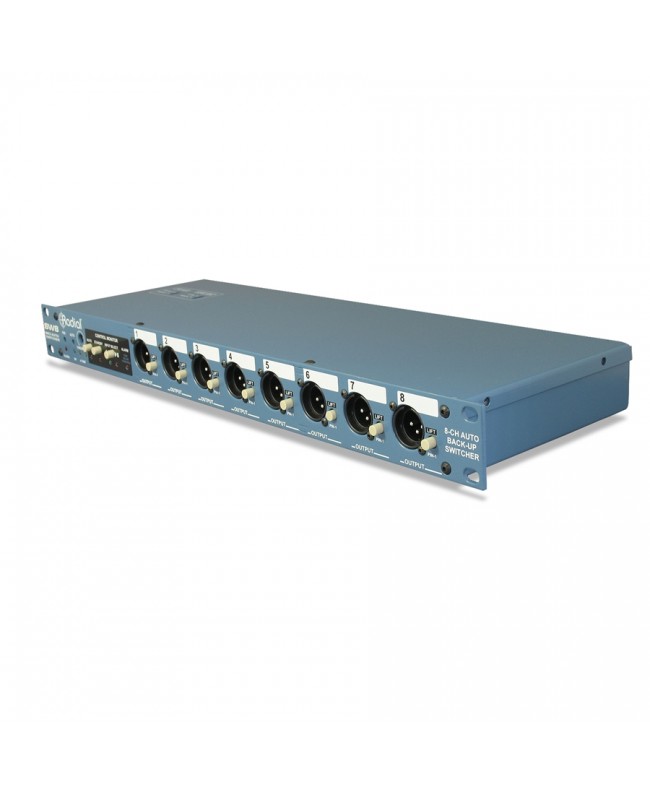
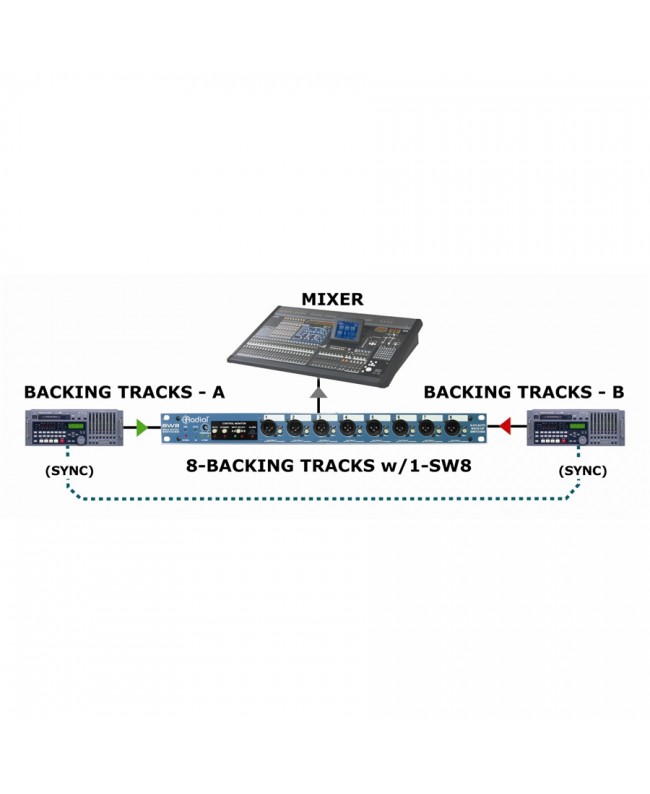
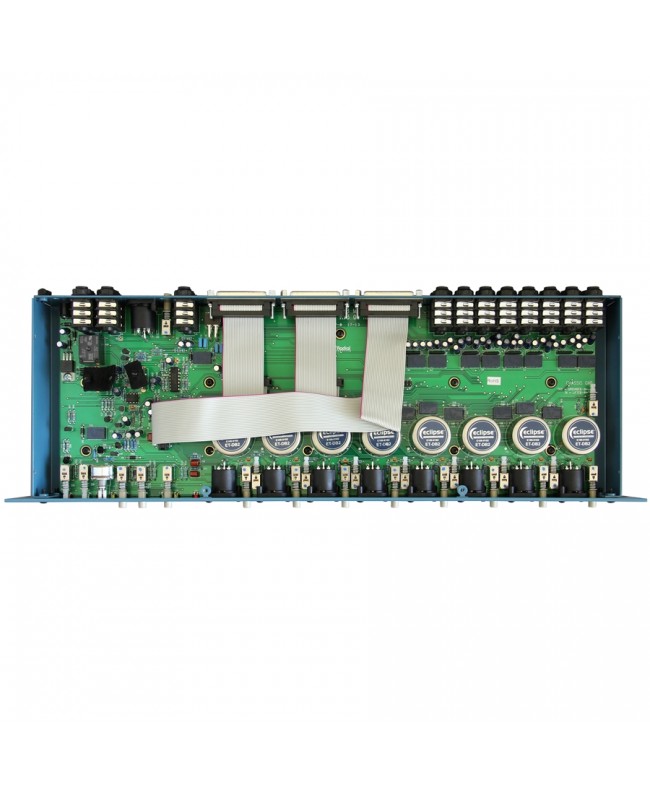

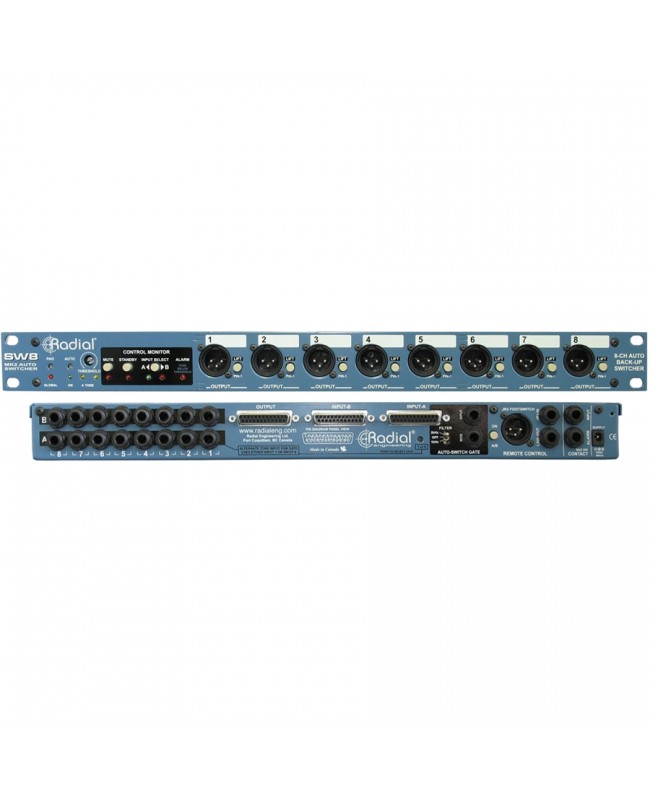
Radial SW8 is an 8-channel auto-switcher that allows you to set up a redundant backup system with automatic switching between two sources, such as two digital recorders, computers, or network systems.
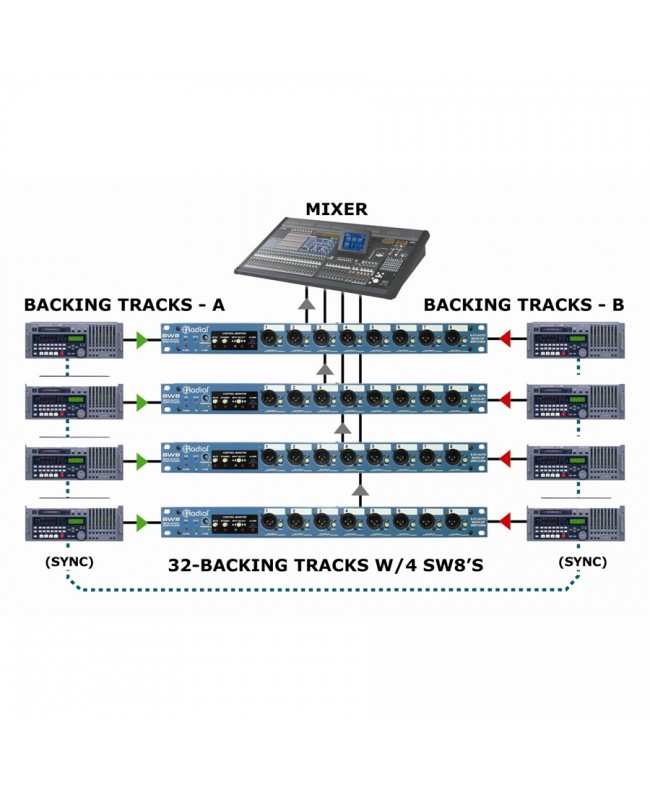
Designed primarily for live concerts and theatrical performances where bases for orchestral sections, voices and sound effects are used, SW8 employs an adjustable gate that detects machine malfunction and switches to a second 'backup' machine ensuring trouble-free performance. The device simply detects the steady-state operation of a signal on a track and feeds it into SW8. If the signal falls, SW8 automatically switches to system B and 'sounds' an alarm. Switching can also be done manually via the A ~ B switch on the front panel, a rear-access latching switch, or by using the optional Radial JR2 foot pedal. For larger configurations, multiple SW8s can be linked together creating 16-, 24- or 32-track systems.
Housed in a rugged 19-gauge 14-gauge steel rack, the Radial SW8 has a choice of 25-pin D-sub or ¼ TRS input connectors with D-Sub and XLR outputs. The XLR sockets on the front panel produce a DI signal with balanced microphone level to feed a snake system and are transformer-isolated to eliminate hum and hiss caused by ground loops. The D-sub connectors at the rear of the panel provide direct line-level balanced connectivity, and the transformer-isolated outputs can be reconnected internally to send the microphone-level signal to the 25-pin D-sub output if needed. To further suppress switching noise, a series of internal filters help eliminate DC offset from source devices. A global Mute switch mutes the XLR outputs, allowing you to listen to tracks and cue on the fly. A Standby switch keeps SW8 on source A inputs between tracks. Radial SW8 is useful for avoiding embarrassing music support system malfunctions a device that guarantees trouble-free shows.
The following are three common configurations in live production. For obvious reasons, we have removed the names of the groups and engineers who provided this information: many artists prefer to keep their production secrets well hidden! Each scenario might have a click track on a separate output, usually just for the drummer and, very rarely, for the front-of-house. Sometimes alternate click tracks are sent, through the monitor desk, to individual band members for certain songs.
This is the most common setup for clubs, TV fly-ins and promotional video tours. In these scenarios, everything mixed is sent to a single stereo system or even a mono output feeding a PA system and broadcaster. Some bands have done this with great success, but it takes a lot of work to get the balance right.
In this scenario 16 bases are mixed in stereo subgroups. This is the most common form of running backing tracks: the musicians do the main work and the playback machines are just an addition as icing on the cake. In these systems you can find extra left and right drums, percussion and rhythms, keyboards and orchestration, guitars and backing vocals, and often all the vocal effects.
Everything is on bases: drums, electronic rhythms, instruments, backing vocals, vocal effects and, in some cases, even the lead vocals. We are talking about various pop groups with extraordinarily huge productions. Each track is broken down into individual channels so that the stage engineer is able to send different mixes to the various musicians, and the front-of-house mixer has total control.
Before making connections, always check that the audio levels on the PA system are at zero, to prevent power-on or link transients from damaging more sensitive components such as tweeters. There is no power switch on SW8. Simply connect the 15VDC power supply and the device automatically turns on. Once connected, one of the A or B LEDs on the front panel lights up, depending on the last use of SW8. A convenient grommet is present to stop the cable. Most systems for backing tracks employ two identical multitrack playback systems that produce either balanced or unbalanced signals. To cope with both types, SW8 is equipped with 25-pin D-sub input connectors on the rear or two sets of 8 ¼ TRS input connectors on the rear panel. The 8 D-sub channels are wired with the ProTools/Tascam standard while the TRS connectors follow the convention with Tip (+), Ring (-) and Ground (Sleeve/Ground). Unbalanced ¼ cables can be used as sources. SW8 has two sets of outputs: the D-Subs on the rear panel are 'straight wire' and are typically used for connection to a professional line-level balanced +4dB device. The XLR sockets on the front panel are arranged as direct boxes with eight Eclipse transformers that isolate the outputs producing a lower mic-level signal. These are generally used on stage to send the output of SW8 to a snake system and mic splitter. For added convenience, you can reverse SW8 and reassign the isolation transformer in the signal path for the D-sub output by simply moving a jumper cable.
Make sure you are in manual mode with the AUTO switch in the OUT position and the LED off. Verify that the JR-2 remote switch is off (OUT position). Always check the sound system at low volumes. Test the connections by playing a signal through input-A. If the audio signal passes, the LED below the threshold releases the A-B front panel switch, deactivating the Input-A set and activating the Input-B set. Activate the second playback device. If you plan to use the transformer-isolated output option, you can use an overall pad of -20dB. This is generally used if the audio source is a line-level device. If you experience distortion during playback, it may be caused by transformer overload. Simply press the pad switch to reduce the input sensitivity.
There are several ways to switch SW8: manual switching via the front panel switch, remote switching using a dedicated footswitch or standard latching switch, or automatic switching via the built-in port.
You can use the AB switch on the front panel as described above. This method is used during system adjustment and for testing. This is the most basic form of switching due to the convenience of front access.
You can switch SW8 remotely by simply shorting the tip and ground on the door contact closure. This ¼ socket can also be switched via a standard latching pedal commonly used to change channels or activate effects on guitar amplifiers. You can switch SW8 remotely with Radial JR-2, a dual function pedal that can be used to remotely control the A~B function or set SW8 to standby mode. The advantage of using JR2 is the LED indicators that signal status. Use the JR2 ON switch to activate the device.
You can also set SW8 to switch automatically using the internal gate. To do this, record a constant 1kHz tone on the primary recorder on either channel 1 or 8. SW8 will extract the tone from the track based on how you set the ALT source selection switch. You can also separate a track and input it directly to the dedicated gate input of the auto-switcher. Activate the auto-switching circuit by releasing the switch on the front panel. The LED indicator lights up. Once turned on, SW8 automatically switches as soon as the input signal level in the auto-switching circuit drops below a predetermined level. This level is adjusted using the Threshold control on the front panel. The Threshold control is in a recessed position and is difficult to reach: once set, it cannot be changed by mistake. Set the gate to 12 o'clock and turn on the primary playback device. Test the gate function, reducing the threshold (Threshold) - by turning the control clockwise.
For configurations using all playback channels, an SMPTE time code signal can be used as an audio source by feeding the gate input of the auto-switch and setting the 3-position filter as needed. The filter is used to adjust the digital binary code to produce a more stable signal.
In auto-switch mode, stopping the main recorder (A) will inevitably stop the playing drone track. This will switch the inputs of SW8 as soon as the drone track disappears. Although, on the surface, this does not seem like a big deal, it becomes one when the artist decides to pause the tracks, forcing an abrupt change in the performance. The Standby switch is used to keep the gate and input in position A. Once you are ready, turn the playback system on and then turn the Standby mode off. This will release the gate for normal operation. Optional connection to a Radial JR2 will allow you to remotely activate or deactivate the Standby function.
Many shows require track playback preparation in order to follow last-minute changes. This means that the playback engineer will have to search for tracks, listen to them, and prepare them so that they are ready when needed. To facilitate this procedure, there is a Mute function in the SW8 that, when released, mutes the front panel XLR outputs that are typically sent to the PA system. The D-Sub connector remains active for monitoring.
To expand the system and have 16 or more channels available, SW8 is equipped with a JR2 link feature that allows you to connect one SW8 to another using a TRS cable. A typical master-slave configuration is used whereby the first SW8 will be assigned as the master which, in turn, will control the slave units. Once connected, all A ~ B status changes will be automatically transferred to the cascaded units along with the Standby function. In auto-switch mode, the drone track should be connected to the SW8 master and cascaded would follow the slaves. For those using a second generation SW8 with a first generation SW8 unit, the new SW8 should be set as the master and the top panel switches should be arranged to properly control the first generation unit.
In complex configurations where automatic switching may not be immediate, an alarm in the form of a light or tone can be connected using a special 24-volt relay. When SW8 switches from A to B, the relay contacts are automatically closed, allowing the system engineer to set up an appropriate alarm.
In most cases, audio playback systems are very quiet. Sometimes, however, switching can introduce annoying noise. This phenomenon is usually caused by a DC offset in the recording system. SW8 includes a series of filters designed to remove excess DC and reduce switching noise. XLR socket isolation transformers and ground-lift switches help reduce hum and hiss caused by ground loops.
Data sheet
Specific References

On sale

In Stock
Out of Stock

Out of Stock
bestseller
In Stock
In Stock
Out of Stock
In Stock

Available upon request
In Stock